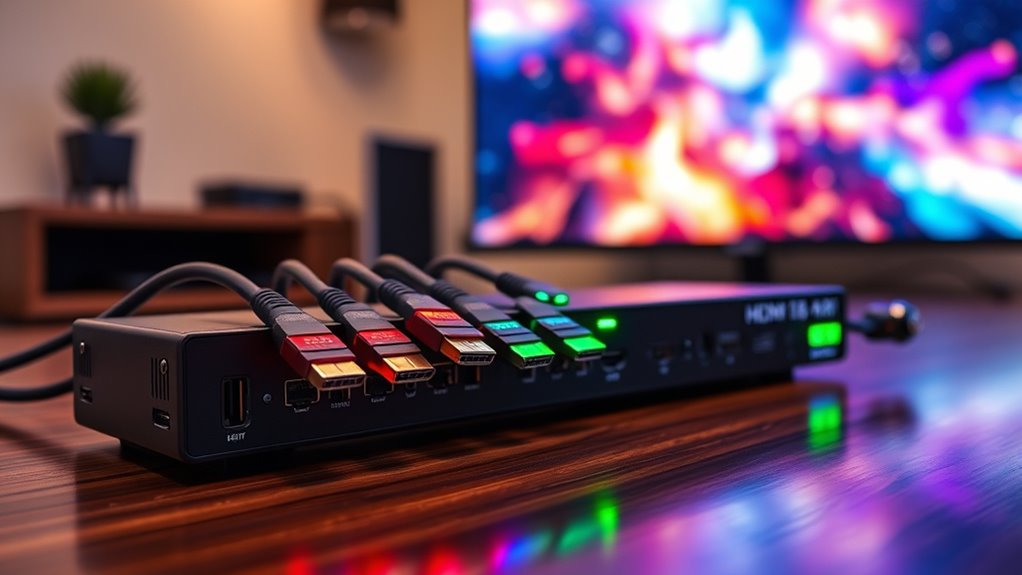

Looking for an HDMI switch that can handle multiple devices and deliver high-quality video? The Acer 5-in-1 HDMI Switch 4K@60Hz stands out for its versatility and remote control, making it an excellent overall choice. For gamers, the OREI 8K 2-Port HDMI 2.1 Switch offers impressive 8K support and fast refresh rates. Meanwhile, the Anker HDMI Switch, 2 in 1 Out provides a simple and reliable setup for everyday use. Every buyer faces tradeoffs between resolution support, ease of use, and price, so continue reading for a detailed breakdown of the best options for various needs and budgets.
Complete the kit


Key Takeaways
- High-resolution support (8K and 4K@120Hz) is mostly found in premium HDMI 2.1 switches, justifying higher prices.
- Remote control significantly improves usability, especially for setups with multiple devices or wall-mounted TVs.
- Bi-directional switches offer flexibility but may compromise on specific features like HDMI 2.1 support.
- Build quality and materials, such as aluminum casings, contribute to durability but can increase cost.
- Compatibility with gaming consoles and HDR formats varies, so it’s essential to match features with your devices.




More Details on Our Top Picks
Acer 5-in-1 HDMI Switch 4K@60Hz HDMI 2.0 with Remote for PS5 Xbox TV
This Acer 5-in-1 HDMI switch stands out for combining high capacity with user-friendly controls, making it ideal for busy setups with multiple gaming consoles, media players, and laptops. Compared with the UGREEN 3-in-1, it offers more inputs, which is a clear advantage for complex setups. However, its lack of automatic switching and the need for additional power and cables introduce some inconvenience. The included remote and physical buttons simplify switching, while its high-quality build with gold-plated ports ensures durability. The limitation to ≤10ft cables at 4K@60Hz can be restrictive in larger rooms. Overall, this model suits users who prioritize multiple device connectivity and a tidy setup without automatic switching features.
Pros:- Supports 4K@60Hz with HDR for vivid visuals
- Easy device switching via remote and physical buttons
- High-quality build with durable HDMI ports
Cons:- No automatic switching feature
- Power adapter and HDMI cables not included
- Limited cable length for 4K performance (≤10ft)
Best for: Home theater enthusiasts or gamers who need to connect several devices to one display with reliable high-quality output.
Not ideal for: Small spaces or minimalist users who prefer auto-switching and minimal wiring, as it requires extra power and manual operation.
- Number of Inputs:5
- Resolution Support:4K@60Hz
- HDMI Version:HDMI 2.0
- HDR Support:Yes
- HDCP Version:2.3
- Cables Included:None
Our verdict“This switch is best suited for users who need multiple inputs managed easily in a fixed setup with a preference for manual control.”
UGREEN HDMI Switch 5 in 1 Out, 4K@60Hz, Remote, HDR, VRR, Compatible with Gaming Consoles and Devices
This UGREEN switch provides excellent value with support for 4K@60Hz, HDR, and VRR, making it a flexible choice for gamers and streaming fans. Compared to the OREI 8K 2-Port HDMI Switch, it offers more inputs at a similar price point, though it lacks auto-switching and requires external USB power, which can be inconvenient for some users. Its LED indicators clearly show active sources, simplifying device management. The limited cable length (within 9ft) for optimal performance is a minor tradeoff. It’s a strong pick for users who prioritize high-quality video and broad device compatibility without needing automatic switching.
Pros:- Supports 4K@60Hz and HDR for high-quality visuals
- Remote control and manual switching options
- Compatible with a wide range of HDMI devices
Cons:- No automatic switching
- Requires USB power (not included)
- Limited cable length for optimal 4K performance
Best for: Gamers and streamers who want multiple inputs easily switchable with remote control on a budget.
Not ideal for: Users seeking automatic switching or longer cable runs without additional accessories, as it requires external power and manual operation.
- Number of Inputs:5
- Resolution Support:4K@60Hz
- HDMI Version:HDMI 2.0/1.4
- HDR Support:Yes
- VRR Support:Yes
- Cable Length for 4K@60Hz:within 3m/9ft
Our verdict“Ideal for budget-conscious users who need multiple device support and manual control without auto-switching features.”
Anker HDMI Switch, 2 in 1 Out HDMI Switcher, 4K@60Hz, Supports HDR/3D/Dolby, Compatible with Laptops, PC, Xbox, PS5, PS4, Projectors
This Anker 2-in-1 HDMI switch is a straightforward solution for users with just two devices to connect. It excels in delivering crisp 4K@60Hz visuals with support for HDR, 3D, and Dolby, making it suitable for gaming and media viewing. Compared to larger switches like the UGREEN 5-in-1, it’s more limited in inputs but offers simpler operation with a single button, reducing complexity. Its lack of automatic switching and HDMI CEC means manual control is necessary, which could be a drawback for some. Short HDMI cables are recommended for optimal performance, but the build quality and broad device compatibility make it excellent for users with minimal device needs.
Pros:- Supports high-resolution 4K@60Hz with HDR
- Simple one-button manual switching
- Broad device compatibility including gaming consoles and projectors
Cons:- Limited to two inputs
- No automatic switching or HDMI CEC
- Short HDMI cable length recommendations for best performance
Best for: Users with a small setup, like a gaming room or home office, needing quick switching between two sources.
Not ideal for: Those with multiple devices or seeking automatic switching, as this model requires manual input selection.
- Resolution:4K@60Hz
- Input Ports:2
- Output Ports:1
- Supports HDR:Yes
- Supports 3D and Dolby:Yes
- Automatic Signal Detection:No
Our verdict“Perfect for users who want a reliable, high-quality switch for a small, straightforward setup without auto-switching features.”
OREI 8K 2-Port HDMI 2.1 Switch, 8K@60Hz, 4K@120Hz, Auto and Manual Switch
The OREI 8K 2-port HDMI 2.1 switch caters to high-end users demanding the highest resolutions, supporting 8K@60Hz and 4K@120Hz with HDR and Dolby Vision. Its auto and manual switching modes provide flexibility, making it ideal for gaming setups with multiple high-bandwidth sources. Compared with the Acer 5-in-1, it offers fewer inputs but supports vastly higher resolutions and refresh rates. The longer cable run support (up to 10 ft) adds convenience, though longer runs may require fiber optic cables for optimal performance. Its robust bandwidth (48Gbps) and compatibility with premium audio formats make it a prime choice for gamers and AV enthusiasts.
Pros:- Supports 8K@60Hz and 4K@120Hz for ultra-high gaming and media quality
- Auto and manual switching modes for convenience
- Durable build with high bandwidth (48Gbps) for premium audio/video
Cons:- Fewer inputs than larger switches, limiting source options
- Longer cable runs may need fiber optic cables
- Requires verification of TV/source audio settings if no audio is detected
Best for: High-end gamers and AV enthusiasts who need the latest resolution and refresh rate support with flexible switching modes.
Not ideal for: Users with basic setups or fewer sources, as the advanced features are overkill for simple needs and the two-port design is limited.
- HDMI Version:2.1
- Input Ports:2
- Max Resolution:8K@60Hz, 4K@120Hz
- Bandwidth:48Gbps
- HDR Support:HDR10, Dolby Vision
- Switching Modes:Auto, Manual
Our verdict“Best suited for tech-savvy users seeking cutting-edge resolution support and flexible switching for advanced gaming and media environments.”
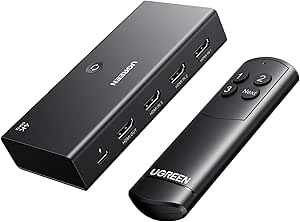
UGREEN HDMI Switch 3 in 1 Out, 4K@60Hz, with Remote, HDR10+, 3D, Dolby, CEC, HDCP2.2, HDMI Splitter, Compatible with Switch 2, PS5/4, Laptop, Xbox, Roku, TV, Fire Stick, Blu-Ray Player, Monitor, Projector
This UGREEN 3-in-1 HDMI switch excels in supporting a broad array of devices with features like HDR10+, Dolby Atmos, and CEC, making it ideal for users with diverse sources such as gaming consoles, streaming sticks, and PCs. Compared to the 5-in-1 Acer model, it offers fewer inputs but compensates with advanced features and compatibility. Its remote control and stable USB-powered design simplify operation, though it requires a separate power source and manual switching. The single output limitation means it’s best for setups where only one display is used at a time. This switch is well-suited for users who value extensive device compatibility and high-quality video/audio transmission.
Pros:- Supports 4K@60Hz with HDR10+ and Dolby Atmos
- Remote control for easy operation
- Compatibility with a wide range of devices and sources
Cons:- Requires a separate power adapter (not included)
- No automatic switching; manual or remote control only
- Single output limits multi-monitor setups
Best for: AV enthusiasts with multiple HDMI sources seeking comprehensive feature support and remote operation.
Not ideal for: Users needing automatic switching or multiple simultaneous outputs, as it relies on manual and remote switching with only one output.
- Number of Ports:3 in, 1 out
- Resolution Support:4K@60Hz
- HDR Support:HDR10+
- Supports Dolby Atmos:Yes
- Supports CEC:Yes
- Power Source:AC adapter
Our verdict“Great for users who need extensive device support and advanced features, willing to handle manual switching and extra power requirements.”
HDMI 2.1 Switch 3 in 1 Out, 8K@60Hz, 4K@120Hz, 1080P@240Hz, Aluminum, 48Gbps with HDMI Cable
This HDMI 2.1 switch stands out for supporting ultra-high resolutions up to 8K@60Hz and high refresh rates at 4K@120Hz, making it ideal for gamers and cinephiles who demand the best visual quality. Compared with the UGREEN 8K@60Hz HDMI Switch, it offers higher bandwidth at 48Gbps, ensuring smoother video transmission at demanding settings. Its aluminum build adds durability, while plug-and-play operation with automatic power from sources simplifies setup. The main tradeoff involves manual input selection, which can be less convenient than auto-switching features. Additionally, it requires at least two powered HDMI sources for stable operation, which could be limiting in some setups.
Pros:- Supports resolutions up to 8K@60Hz for future-proofing
- High bandwidth (48Gbps) ensures smooth, high-quality transmission
- Durable aluminum construction enhances longevity
- Automatic power from connected devices simplifies setup
Cons:- Requires multiple powered sources for stable operation
- Manual switching can be less convenient than auto-switching
- No auto-switching feature means more user intervention
Best for: High-end gamers and home theater enthusiasts needing 8K support and robust build quality
Not ideal for: Users seeking auto-switching without manual intervention or those with low-power sources
- Input ports:3 HDMI
- Output ports:1 HDMI
- Supported resolutions:8K@60Hz, 4K@120Hz, 1080P@240Hz
- Transmission rate:48Gbps
- Material:Aluminum alloy
- Power:Powered via HDMI source devices
- Switching:Manual (button press)
Our verdict“This switch is best suited for users who prioritize maximum resolution and build quality over automatic source switching.”
HDMI Switch 4K@60Hz Splitter, GANA Aluminum Bidirectional HDMI Switcher 2 in 1 Out
This bidirectional HDMI switch excels in providing flexible connection options—either two sources to one display or one source to two displays—with a simple button press. Compared with the UGREEN 8K@60Hz HDMI Switch, it supports only 4K at 60Hz but offers bidirectional toggling, making it more versatile for different setups. Its plug-and-play design requires no external power, which is advantageous for quick setups. However, the main limitation is that only one display can be active at a time, and it doesn’t support simultaneous viewing. The absence of HDMI cables means you’ll need to supply your own, adding some inconvenience.
Pros:- Supports 4K@60Hz for high-quality video
- Bidirectional design offers flexible use cases
- No external power required for operation
- Compact and lightweight for easy placement
Cons:- Limited to toggling, not simultaneous display
- HDMI cables not included, may need separate purchase
- Only supports 4K, not higher resolutions like 8K
Best for: Users who need quick toggling between sources or displays without complex configurations
Not ideal for: Those wanting 8K support or simultaneous dual display output
- Connector Type:HDMI
- Compatible Devices:Blu-Ray Player, Gaming Console, Monitor, Projector, Television
- Number of Ports:3
- Power Source:DC
- Color:Grey
- Item Dimensions:0.62″D x 2.44″W x 2.95″H
Our verdict“This switch is ideal for users who need simple, flexible toggling between sources or displays without fuss or additional power requirements.”
HDMI Switch Splitter 4K@60Hz, Aluminum HDMI 2.0 Switcher 2 in 1 Out, Bi-Directional HDMI Switch for Xbox, PS5, Blu-Ray, Fire Stick, Roku, HDTV
This bidirectional HDMI switch supports 4K@60Hz, HDR, and 3D, making it suitable for a variety of gaming and streaming setups. Compared with the UGREEN 8K@60Hz switch, it offers similar high-quality video but is limited to 4K, excluding 8K support. Its easy-to-use button and LED indicators allow quick source toggling, and its aluminum construction ensures durability. However, it cannot display both sources simultaneously and does not include HDMI cables, which might be inconvenient. Its focus on toggling rather than automatic switching makes it less suitable for dynamic multi-source environments.
Pros:- Supports 4K@60Hz and HDR for vibrant visuals
- Bi-directional toggling offers flexible setup
- No external power needed, plug-and-play
- Durable aluminum build
Cons:- Limited to toggling, no simultaneous display
- No included HDMI cables
- Supports only up to 4K, not 8K
Best for: Gamers and streamers needing reliable toggle between two sources with HDR support
Not ideal for: Users wanting 8K resolution or simultaneous dual-screen use
- Connector Type:HDMI
- Compatible Devices:Apple TV, Fire TV Stick, Cable Box, Roku
- Number of Ports:3
- Power Source:No external power
- Color:Black
- Item Dimensions:2.07″D x 2.13″W x 0.59″H
Our verdict“This switch suits users who prioritize reliable toggling between two sources with HDR support over higher resolutions or automatic switching.”
Anker HDMI Switch, 4 in 1 Out 4K@60Hz HDMI Switcher with Remote
This HDMI switch is designed for users with multiple devices, supporting up to four inputs and a remote for easy switching. Compared to the UGREEN 5 in 1 Out, it offers more input ports but supports only 4K@60Hz, lacking 8K compatibility. Its remote control adds convenience, especially in setups where frequent switching is needed, and its sleek, compact design fits well into various entertainment centers. The main limitation is the absence of HDMI CEC support, which could streamline device control. Additionally, it requires a USB-C power source, adding a small setup step.
Pros:- Supports 4K@60Hz with HDR for vibrant visuals
- Remote control simplifies switching
- Multiple input ports for various devices
- Sleek, compact design
Cons:- No support for 8K resolution
- No automatic switching features
- Cables not included, requires additional purchase
Best for: Home entertainment setups with multiple devices like gaming consoles, streaming boxes, and PCs
Not ideal for: Users seeking 8K support or automatic switching features
- Connector Type:HDMI, USB Type-C
- Compatible Devices:Laptop, Projector
- Number of Ports:4
- Color:Gray
- Warranty:18 months
Our verdict“Ideal for users with several HDMI devices who want easy remote switching without the need for 8K capabilities.”
UGREEN 8K@60Hz HDMI Switch 5 in 1 Out with Remote, Aluminum, HDR10+, HDMI 2.1 Splitter, Compatible with PS5, Xbox, Switch, Roku, Apple TV, Fire Stick
This UGREEN HDMI switch makes a compelling case for high-end gamers and streamers with its support for 8K@60Hz, HDR10+, and HDMI 2.1 features like VRR. Compared to the Anker 4 in 1 Out, it offers more input and output ports, accommodating multiple devices in a single setup, and supports cutting-edge features like Dolby Atmos. The inclusion of a remote simplifies switching, but its need for an external power supply means additional cables and clutter. It also lacks automatic switching, so manual operation is required, which could be a drawback for dynamic environments.
Pros:- Supports 8K@60Hz with HDR10+ for ultra-high-definition visuals
- Multiple input/output ports for complex setups
- Remote control for easy switching
- HDMI 2.1 features like VRR and Dolby Atmos
Cons:- Requires external power, adding to setup complexity
- No automatic switching
- Cables are not included, additional purchase needed
Best for: Players and streamers who want maximum resolution, advanced features, and multiple device connections
Not ideal for: Users who prefer automatic switching or minimal cabling arrangements
- Number of Ports:6
- Connector Type:HDMI
- Compatible Devices:PS5, Xbox, Switch, Roku, Apple TV, Fire Stick
- Color:Black
- Item Dimensions:6.5″D x 2.2″W x 0.8″H
- Supports:HDCP 2.3, CEC, HDR10+, VRR
Our verdict“This switch is tailored for those demanding cutting-edge resolution and features in a multi-device setup, accepting the need for external power and manual operation.”
OREI 8K 3-Port HDMI 2.1 Switch with Remote, 3-in 1-Out, Supports 8K@60Hz, 4K@120Hz, HDR10+, Dolby Vision, VRR, CEC, Compatible with PS5/Xbox
This HDMI switcher supports up to 8K@60Hz and 4K@120Hz, making it ideal for gamers using next-gen consoles like PS5 and Xbox Series X, as well as high-end streaming setups. Unlike the Acer 5-in-1 HDMI Switch which maxes out at 4K@60Hz, the OREI 8K 3-Port HDMI Switch provides a clearer advantage for those pushing the limits of visual fidelity. Its compatibility with HDR10+ and Dolby Vision ensures vibrant, cinematic quality, while support for VRR minimizes lag during fast-paced gaming. The inclusion of a remote makes switching effortless, although manual toggling is still possible, which might be less convenient for some users. A drawback is the need for separate HDMI cables, which adds to setup complexity. Overall, this switch makes the most sense for serious gamers and home theater enthusiasts who prioritize high resolutions and advanced audio support.
Pros:- Supports up to 8K@60Hz and 4K@120Hz for ultra-high-resolution content
- Compatible with next-gen consoles and high-quality streaming devices
- Includes remote control for quick, effortless switching
Cons:- Requires HDMI cables for connection (not included)
- Manual switch may be less convenient during frequent device changes
Best for: High-end gamers and home theater fans who need 8K support and seamless switching for multiple devices.
Not ideal for: Casual users or those with only 4K devices, since the advanced features won’t be fully utilized and it’s more expensive than simpler options.
- Bandwidth:48Gbps
- Resolution Support:8K@60Hz, 4K@120Hz, 2K@60Hz, 1080p@240Hz
- HDMI Version:2.1
- HDCP:2.3
- Audio Formats:LPCM, Dolby TrueHD, DTS-HD Master Audio, Dolby-AC3, DTS 7.1
- Compatibility:PS5, Xbox Series X/S, Roku 4, Fire TV, Apple TV, projectors, Blu-ray/DVD players, PCs, STBs
Our verdict“This switch is best suited for users needing top-tier resolution support and gaming features, despite a higher price and setup requirements.”

How We Picked
These HDMI switches were selected based on performance, build quality, feature set, and user versatility. Priorities included support for high resolutions and refresh rates, ease of switching, and compatibility with popular devices like gaming consoles, Blu-ray players, and streaming sticks. We also considered remote control functionality, auto-switching features, and overall value for different budgets. Products are ranked to balance these factors, favoring options that deliver reliable performance with thoughtful features, but also noting notable tradeoffs like price or complexity.
Factors to Consider When Choosing Hdmi Switch
Choosing the right HDMI switch involves understanding your specific needs and the technical features that matter most. Not all switches support the same resolutions, refresh rates, or HDR formats, so it’s important to match a switch’s capabilities with your devices. Ease of use, such as remote control and auto-switching, can dramatically enhance your experience. Consider your setup size and whether bi-directional functionality is necessary. Budget also plays a role; higher-end options often add features but come at a premium. Avoid common pitfalls like buying a switch with insufficient resolution support or one that lacks compatibility with your devices.Resolution and Refresh Rate Support
Ensure the HDMI switch supports your desired resolution, whether 4K or 8K, and refresh rates like 120Hz or 60Hz. Higher resolutions and refresh rates are more common in premium switches, which are necessary for gaming or high-end home theaters. Choosing a switch that doesn’t support your devices’ maximum output can result in degraded picture quality or compatibility issues. Be cautious of switches claiming high specs without verified support, as that can cause frustrations or the need to upgrade later.
Ease of Use and Switching Method
Consider whether a remote control, auto-switching, or manual button press best suits your setup. Remote controls are especially helpful if your devices are not easily accessible or if you have multiple sources. Auto-switching offers a seamless experience but may sometimes switch unexpectedly, which can be inconvenient. Manual switches are simple but may require more effort when changing inputs frequently. Think about your comfort level with these features and how they fit into your daily use.
Compatibility and Device Support
Check that the switch supports all your devices, including gaming consoles, streaming devices, Blu-ray players, and PCs. Compatibility with HDR, Dolby Vision, and HDCP standards ensures high-quality picture and sound, which is vital for media enthusiasts. If you have specific needs like VRR or Dolby Atmos, verify that the switch explicitly supports these features. Failing to match device support can lead to no signal, degraded quality, or missing features.
Build Quality and Durability
Investing in a well-built switch, often with aluminum housing, can enhance durability and heat dissipation. Cheaper plastic models may be fragile or less reliable over time. Consider the size and placement options, especially if you plan to mount or hide the switch behind furniture or inside cabinets. A sturdy, well-designed switch reduces the risk of connection issues and prolongs device lifespan.
Price and Value
Higher prices generally correlate with better performance, higher resolutions, and more features like remote control or auto-switching. However, not every user needs the most advanced specs; a budget switch may suffice for simple streaming or basic setups. Look for a balance between features and cost, and beware of overpaying for unnecessary capabilities. Also, consider future-proofing—buying a switch with slightly higher specs than currently needed can extend its usefulness.
Frequently Asked Questions
Will a 4K HDMI switch support HDR and Dolby Vision?
Many 4K HDMI switches support HDR and Dolby Vision, but it’s essential to verify the specific model’s features. Support for HDR10+ and Dolby Vision often depends on the HDMI version and HDCP compliance. Using a switch that doesn’t support these features can result in downgraded picture quality or no HDR at all. Always check the product specifications and user reviews to ensure compatibility with your HDR-enabled devices and content.
Can I connect a gaming console and a streaming device to the same HDMI switch?
Yes, most HDMI switches are designed to connect multiple sources like gaming consoles and streaming devices. Just ensure the switch has enough input ports and supports the resolution and refresh rates your devices require. For gaming, prioritize switches supporting 4K@120Hz or higher, along with low latency features. Confirm compatibility with your console’s HDR and VRR features for the best experience.
Is a remote control necessary in an HDMI switch?
A remote control adds significant convenience, especially if your devices are mounted or behind furniture. It allows you to switch inputs without physically reaching the switch, reducing wear and tear. However, some users find manual buttons sufficient for everyday use if the switch is within easy reach. Auto-switching is another option but may sometimes switch inputs unexpectedly, which can be disruptive. Your setup and usage frequency will determine whether a remote is worth the extra cost.
Are bi-directional HDMI switches worth considering?
Bi-directional switches offer flexibility by allowing inputs and outputs to switch roles, which can be useful in complex setups. However, they often lack advanced features like HDMI 2.1 support or high refresh rates. If you need a straightforward switching solution for a simple home theater or gaming setup, dedicated input-to-output switches usually perform better. Consider whether the added versatility justifies the potential tradeoffs in performance or complexity for your specific needs.
How important is build quality in an HDMI switch?
Build quality influences both durability and performance consistency. A well-constructed switch, often with metal casing and quality connectors, resists damage and maintains stable connections over time. Poorly made switches may develop connection issues or fail prematurely, especially in high-use environments. If you plan to keep the switch in a permanent setup or move it frequently, investing in a robust model is advisable to prevent frustration and additional costs.
Conclusion
For most users, the Acer 5-in-1 HDMI Switch 4K@60Hz offers the best overall value with a versatile feature set and remote control. Gamers and media enthusiasts should consider the OREI 8K 2-Port HDMI 2.1 Switch for its high resolution and fast refresh rate support. Those seeking simplicity and affordability can opt for the Anker HDMI Switch, 2 in 1 Out, which provides reliable basic functionality. If you need a premium setup with future-proof features, the OREI 8K 3-Port HDMI 2.1 Switch or the UGREEN 8K@60Hz HDMI Switch 5 in 1 Out are excellent choices. Ultimately, your decision should align with your device compatibility, desired features, and budget constraints.