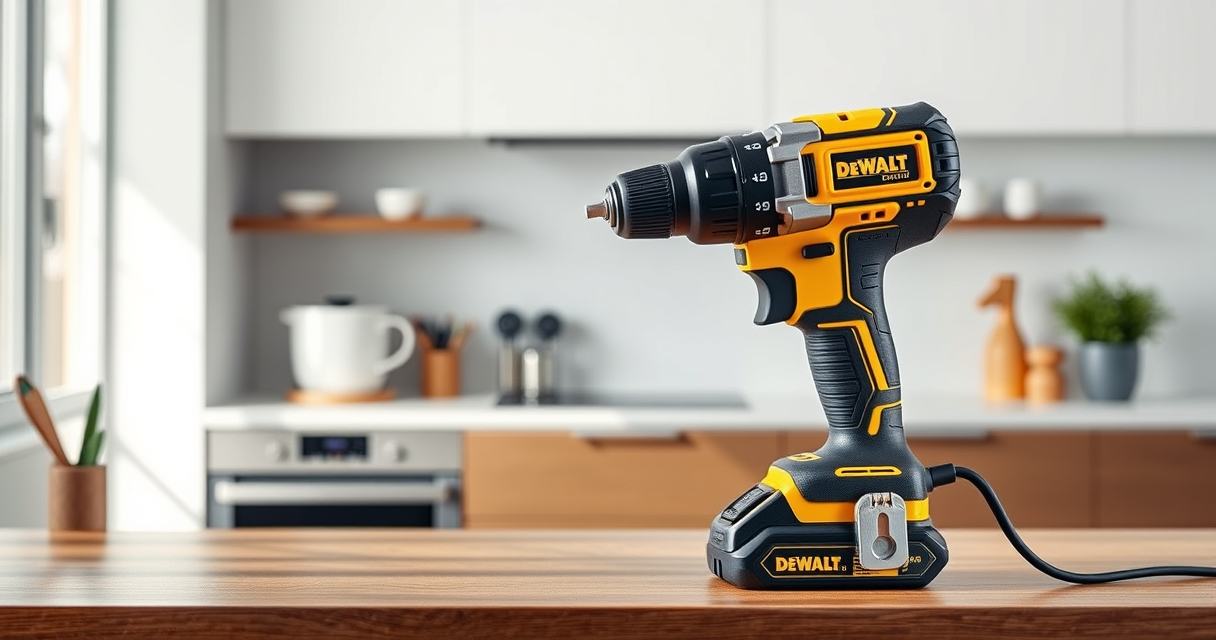

Maintaining your DEWALT 20V MAX Cordless Drill is essential for ensuring its longevity and optimal performance. Whether you’re experiencing issues or just want to keep your tool in top shape, this comprehensive guide provides practical, step-by-step instructions for troubleshooting and care.

Get garden gear delivered free with Prime
- Fast, free delivery on millions of items
- Prime Video, Amazon Music and more included
- Member-only deals all year
From battery maintenance to motor checks, you’ll find everything you need to keep your DEWALT drill operating safely and efficiently. Let’s dive into the essential steps to troubleshoot common problems and perform routine maintenance effectively.
Key Takeaways
| Battery Care | Keep batteries charged and store in a cool, dry place. |
| Motor Checks | Listen for unusual sounds or reduced power indicating motor issues. |
| Chuck Maintenance | Clean and lubricate the chuck periodically for smooth operation. |
| LED Light Troubleshooting | Ensure the light is clean and replace if faulty. |
| General Upkeep | Regularly inspect and tighten all screws and components. |
Battery Maintenance and Troubleshooting
- Ensure the battery is fully charged using a compatible DEWALT charger. Avoid deep discharges to prolong battery life.
- Check the LED charge indicator on the battery pack; if it shows low charge, recharge immediately.
- If the drill exhibits reduced runtime or fails to turn on, try inserting a different, fully charged battery.
- Inspect the battery contacts for dirt or corrosion. Clean gently with a dry cloth or a soft brush.
- Store batteries in a cool, dry place when not in use. Avoid extreme temperatures which can degrade battery performance.
Battery health is critical for consistent tool performance. Regularly check and replace batteries as needed to avoid interruptions during work.
Motor and Drive System Troubleshooting
- Listen for abnormal sounds like grinding or squealing during operation, which can indicate motor issues.
- If the drill loses power or stalls, check for overheating. Allow the motor to cool down before retrying.
- Inspect the drill’s vent openings for dust or debris; clean gently with compressed air.
- Ensure the speed settings are correctly adjusted; lower speeds can sometimes cause stalling during heavy tasks.
- If the motor fails to run despite a charged battery, consider seeking professional repair or contacting DEWALT support.
Maintaining the motor and drive components ensures consistent power and prevents costly repairs down the line.
Chuck and Bit Care
- Regularly clean the chuck with a dry cloth to remove dust and debris after use.
- Lubricate the chuck with a light machine oil if it becomes difficult to tighten or loosen.
- Always use the correct size and type of drill bits; oversized or incompatible bits can damage the chuck.
- For a tight grip, ensure the chuck is properly tightened around the bit before use.
- Replace worn or damaged bits promptly to avoid putting extra strain on the drill’s motor.
Proper chuck maintenance helps keep your drill functioning smoothly and prolongs the lifespan of both the chuck and bits.
LED Light and User Interface Troubleshooting
- If the LED light does not turn on when the trigger is pressed, check for dirt or obstruction around the lens and clean gently.
- Replace the LED light assembly if it remains unlit after cleaning, as it may be faulty.
- Ensure the trigger switch is functioning properly; a delayed or unresponsive switch may need professional inspection.
- For consistent visibility in dim spaces, verify the battery is fully charged.
Keeping the LED light in good condition ensures you have adequate illumination for detailed work, especially in tight or poorly lit areas.
Routine Maintenance and Safety Tips
- Regularly inspect all screws, fasteners, and components for tightness and wear.
- Lubricate moving parts as recommended by the manufacturer.
- Store your drill in a dry, protected location away from moisture and dust.
- Always wear safety gear like goggles and gloves during maintenance or operation.
- Follow all safety instructions provided in the user manual to avoid injury or damage.
Consistent routine maintenance not only prolongs your tool’s life but also ensures your safety during use.
The Products in This Guide

DEWALT 20V MAX Cordless Drill Driver Set
- ✔ Length: 7.6 inches
- ✔ Weight: Lightweight
- ✔ LED Duration: 20 seconds

DEWALT Drill Bit Set
- ✔ Length: Varies
- ✔ Tip Type: Split Point
- ✔ Coating: Rust-resistant
DEWALT 20V MAX Cordless Drill Driver Set
The DEWALT 20V MAX Cordless Drill Driver Set (DCD777D1) offers impressive brushless motor performance, lightweight design, and essential features like LED lighting. It’s well-suited for general drilling and fastening tasks, especially in tight spaces.
Pros:
- Brushless motor for longer run time
- Compact and lightweight design
- LED light with delay for dimly lit areas
- 2-speed transmission for versatility
Cons:
- Battery life may vary with heavy use
- No included drill bits
- Limited to 1/2 inch chuck size
Best for: DIYers and professionals needing a reliable, versatile drill for various tasks
Not ideal for: Heavy-duty industrial applications requiring more power
Bottom line: A compact, powerful drill ideal for versatile tasks, with reliable battery life and user-friendly features.
DEWALT Drill Bit Set
This DEWALT Drill Bit Set includes 14 high-speed steel bits with a 135-degree split point, designed for plastic, wood, and metal. It complements your drill perfectly, providing durability and accuracy.
Pros:
- Resists walking with split point tip
- Heavy-duty HSS construction
- Corrosion-resistant coating
- Includes a variety of sizes
Cons:
- No carrying case included
- Bits may wear with heavy use
- Limited to specific materials
Best for: Home improvement projects requiring versatile drill bits
Not ideal for: Heavy industrial or frequent professional use
Bottom line: A versatile, durable drill bit set that enhances your drilling precision and efficiency.
Frequently Asked Questions
How do I reset the battery indicator on my DEWALT drill?
The battery indicator is automatic; ensure the battery is fully charged and properly seated. If it still doesn’t display correctly, try recharging or replacing the battery.
What should I do if my drill overheats?
Allow the drill to cool down in a well-ventilated area. Check for excessive dust or debris blocking vents, and avoid overloading the tool in heavy-duty applications.
Can I use other brand batteries with my DEWALT drill?
It’s recommended to use DEWALT batteries designed for your model to ensure compatibility and safety. Using non-compatible batteries can damage your tool or void the warranty.
How often should I lubricate the chuck?
Lubricate the chuck every few months or when you notice it becomes difficult to tighten or loosen. Use a light machine oil and wipe away excess.
What safety precautions should I follow during maintenance?
Always disconnect the battery before maintenance, wear safety glasses, and work in a clean, dry area. Follow the manufacturer’s instructions for safe handling.
Keep Your DEWALT Drill in Peak Condition
Regular maintenance and troubleshooting are key to ensuring your DEWALT 20V MAX Cordless Drill remains reliable and efficient for years to come. By following these step-by-step tips, you can quickly resolve common issues and prevent future problems, maximizing your tool’s lifespan and safety.
Remember, always adhere to safety guidelines and consult professional repair services if you encounter complex issues beyond basic troubleshooting. With proper care, your DEWALT drill will continue to be a dependable partner in all your projects.
Affiliate disclosure: As an Amazon Associate we earn from qualifying purchases. Prices and availability are accurate as of the time of publishing.
Halloween Picks
halloween
As an affiliate, we earn on qualifying purchases.