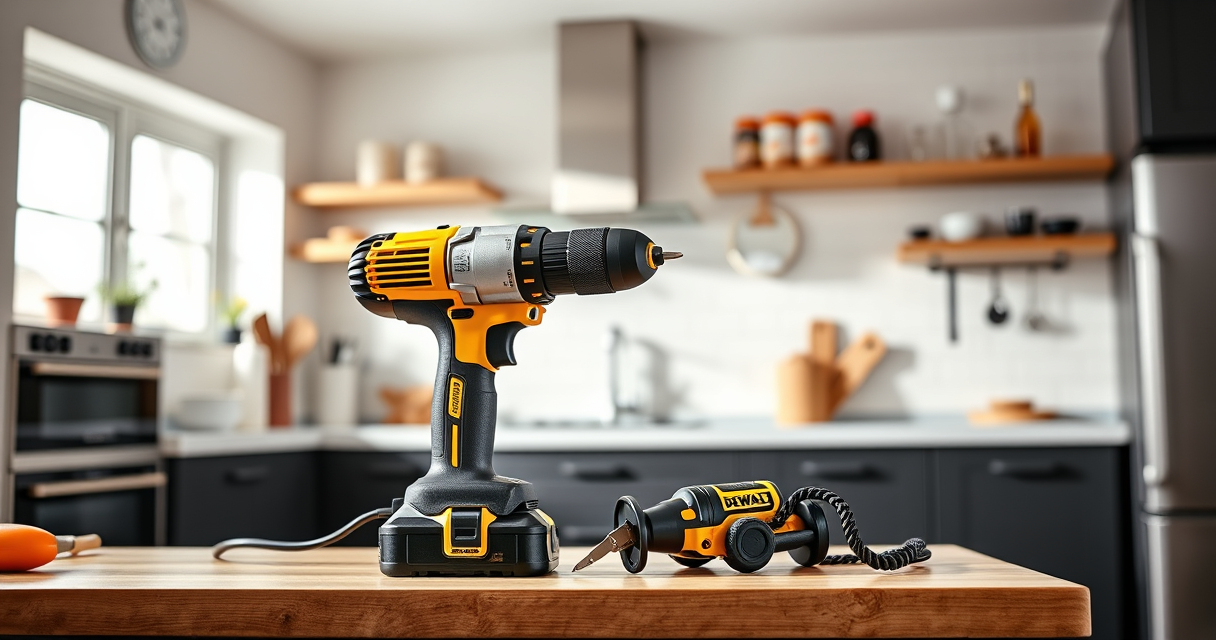

Getting started with your new DEWALT power tools can seem daunting, but with the right setup process, you’ll be ready to tackle your projects safely and efficiently. Proper setup not only enhances performance but also ensures safety and longevity of your tools. This guide provides clear, step-by-step instructions to help you assemble, configure, and troubleshoot your DEWALT cordless drill set and accessories.

Get garden gear delivered free with Prime
- Fast, free delivery on millions of items
- Prime Video, Amazon Music and more included
- Member-only deals all year
Whether you’re a DIY enthusiast or a professional, following these practical tips will help you make the most of your investment and avoid common issues during setup and use.
Key Takeaways
| Read the manual | Always consult the user manual for specific instructions and safety warnings. |
| Check battery compatibility | Use DEWALT batteries designed for your model to ensure optimal performance. |
| Securely attach accessories | Properly install drill bits and accessories to prevent accidents. |
| Test the tool | Run the drill briefly to ensure proper operation before starting your project. |
| Wear safety gear | Always use protective glasses and gloves when setting up or operating power tools. |
Unboxing and Initial Inspection
- Carefully unpack your DEWALT drill set and accessories, including the drill, batteries, charger, and any included bits.
- Inspect all components for damage or defects. Check the drill’s body, battery contacts, and the accessories for cracks or corrosion.
- Ensure that the battery and charger are compatible with your drill model, especially if you purchased additional batteries or accessories.
- Read the user manual thoroughly to familiarize yourself with the tool’s features and safety warnings.
Charging and Installing the Battery
- Connect the DEWALT charger to a power outlet and insert the 20V MAX 5 Ah lithium-ion battery into the charger. The LED indicator will show charging status.
- Once charged, remove the battery and insert it into the drill’s battery slot, aligning the contacts properly.
- Ensure the battery clicks into place securely. The LED on the battery will indicate charge level, providing quick visibility of remaining runtime.
Assembling and Attaching Accessories
- Select the appropriate drill bit or accessory for your task from your DEWALT drill bit set.
- Loosen the single-sleeve ratcheting chuck by rotating it counter-clockwise.
- Insert the shank of the drill bit into the chuck, ensuring it is centered and fully inserted.
- Rotate and tighten the chuck by hand, then use the chuck key if applicable, to secure the bit firmly.
- Double-check that the bit is tightly secured before operating the tool.
Powering On and Testing Your Drill
- Hold the trigger and ensure the LED light turns on, indicating the drill is powered.
- Set the speed to your desired level using the two-speed transmission switch—low for precision, high for power.
- Gently test the drill on a scrap piece of material to verify operation and check for unusual vibrations or noises.
- Adjust the clutch setting if applicable, to control torque and prevent overdriving fasteners.
Safety Tips and Troubleshooting
- Always wear safety glasses and gloves during setup and operation to prevent injury from debris or accidental slips.
- If the drill doesn’t turn on, ensure the battery is charged and properly seated.
- For weak performance, check if the battery needs recharging or replacing.
- If the drill overheats, pause use and allow it to cool down before resuming operation.
- Maintain your tools regularly by cleaning dust and debris, especially around the motor vents and chuck area.
The Products in This Guide

DEWALT 20V MAX Cordless Drill Driver Set
- ✔ Front to back: 7.6 inches
- ✔ Battery included: Yes
- ✔ Charger included: Yes

DEWALT Drill Bit Set
- ✔ Piece count: 14
- ✔ Split point: Yes
- ✔ Coating: Rust-resistant
DEWALT 20V MAX Cordless Drill Driver Set
The DEWALT 20V MAX Cordless Drill Driver Set offers robust performance with its brushless motor, providing more run time and durability. Its compact design makes it ideal for tight spaces, and the LED light enhances visibility during work. The included 2.0 Ah battery and charger make setup convenient, ensuring you’re ready to work right away.
Pros:
- Brushless motor for longer runtime
- Lightweight and compact design
- Ergonomic handle for comfort
- LED work light for dim areas
Cons:
- Battery life may require additional spare batteries for extended work
- Limited to 1/2 inch chuck size
Best for: General-purpose drilling, fastening, and DIY projects
Not ideal for: Heavy-duty industrial tasks requiring more torque
Bottom line: Reliable, lightweight drill perfect for versatile tasks and tight spaces.
DEWALT Drill Bit Set
This DEWALT drill bit set complements your power drill perfectly, offering a durable and precise option for drilling into plastic, wood, and metal. Its 135-degree split point reduces walking, making it easier to start holes accurately.
Pros:
- High-speed steel construction
- Reduced walking with split point tip
- Easy size identification
- Durable and rust-resistant coating
Cons:
- Only compatible with 3/16 inch shank or larger
- Limited to drill bits, not a power tool
Best for: Expanding your drill’s capabilities with quality bits
Not ideal for: Heavy-duty industrial drilling or large diameter holes
Bottom line: A reliable set of drill bits that enhance your drilling precision.
Frequently Asked Questions
How do I replace or change the drill bit on my DEWALT cordless drill?
Loosen the ratcheting chuck by rotating it counter-clockwise, insert the new drill bit fully into the chuck, then tighten it securely by hand or with a chuck key if applicable.
Can I use different batteries with my DEWALT drill?
Yes, as long as they are compatible 20V MAX lithium-ion batteries designed for your model, such as the DCB205 5 Ah battery. Always check compatibility before swapping batteries.
What should I do if my drill isn’t turning on?
First, ensure the battery is fully charged and properly seated. Check for any damage to the battery contacts or the trigger. If issues persist, consult the troubleshooting section of the user manual.
How can I extend the life of my DEWALT drill and batteries?
Regularly clean dust and debris from vents and moving parts, store batteries in a cool, dry place, and avoid overcharging or deep discharging batteries. Use the tool within its specified limits.
Is my DEWALT drill suitable for heavy-duty tasks?
While the drill is designed for versatile general-purpose use, it may not be ideal for industrial or very heavy-duty tasks that require higher torque or specialized equipment.
Getting the Most Out of Your DEWALT Power Tools
Proper setup and maintenance are key to ensuring your DEWALT power tools perform reliably for years to come. Always follow manufacturer instructions carefully, prioritize safety, and keep your tools clean and well-maintained. With the right setup, you’ll be ready to complete a wide range of projects efficiently and safely.
Remember, investing in quality accessories and batteries can enhance your experience and extend your tool’s lifespan. Happy drilling!
Affiliate disclosure: As an Amazon Associate we earn from qualifying purchases. Prices and availability are accurate as of the time of publishing.
Fall Picks
fall essentials
As an affiliate, we earn on qualifying purchases.